
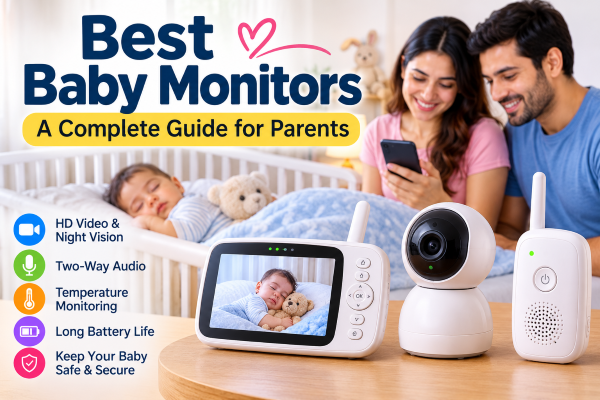
Choosing the best baby monitor can make everyday parenting a little easier. A good monitor allows parents to hear or see their baby while the child is sleeping, giving them the freedom to move around the house without repeatedly checking the nursery. Modern baby monitors range from simple audio devices to advanced cameras with smartphone connectivity, night vision, temperature sensors and smart alerts.
The right choice depends on your home, budget and the features you actually need. There is no single baby monitor that is perfect for every family. Current testing and buying guides also show that a reliable, reasonably priced monitor can be a better choice than simply buying the most expensive model.
What Is a Baby Monitor?
A baby monitor is an electronic device designed to help parents keep an eye or ear on a baby from another room. Audio baby monitors transmit sound, while video baby monitors provide both sound and a live picture.
Some newer models connect to Wi-Fi and send the video to a smartphone app. Others use a dedicated parent unit and do not require an internet connection. Hybrid models combine both approaches.
There are also movement and health-tracking monitors that claim to provide information about breathing, sleep or other measurements. However, these features should not be treated as a replacement for medical care or safe-sleep practices.
Best Types of Baby Monitors
1. Video Baby Monitors
Video monitors are among the most popular choices because parents can see what their baby is doing instead of relying only on sound.
Look for features such as HD video, infrared night vision, two-way audio and a camera that can pan, tilt or zoom. Some models also allow additional cameras, which can be useful for families with more than one child.
The Eufy Baby Monitor E21, for example, has been highly rated in recent testing for its combination of a dedicated parent unit and Wi-Fi connectivity.
2. Wi-Fi Baby Monitors
Wi-Fi monitors connect to your home internet and typically allow you to watch your baby through a smartphone app. This can be useful when parents are away from home or want to check the nursery while travelling.
The main advantage is flexibility. However, internet-connected devices require greater attention to privacy and security. Parents should use strong passwords, enable multi-factor authentication where available, keep firmware updated and secure their home Wi-Fi network.
3. Non-Wi-Fi Baby Monitors
A non-Wi-Fi monitor communicates directly with its parent unit. This makes the setup simple and means you do not need an internet connection to monitor your baby.
These models can be particularly useful for parents who prefer a straightforward system or who are concerned about the privacy issues associated with internet-connected cameras.
4. Audio Baby Monitors
Audio monitors are the simplest option. They allow parents to hear crying, movement or other sounds from the baby’s room.
They generally cost less than video models and can be a good choice for parents who do not need a camera. Their main limitation is that they cannot show you what is happening in the crib.
Important Features to Consider
When shopping for the best baby monitor, consider the following features.
HD Video and Night Vision
A clear image makes it easier to see your baby, particularly during nighttime checks. Many modern monitors offer HD resolution and infrared night vision for dark rooms.
Two-Way Communication
Two-way talk allows parents to speak through the monitor. This can be helpful for soothing a baby or communicating with an older child without immediately entering the room.
Temperature Monitoring
Some monitors display the temperature of the nursery and, in some cases, humidity. These readings can help parents understand the room environment.
Battery Life
If the monitor has a portable parent unit, battery life matters. A longer-lasting battery means less frequent charging, particularly during overnight use.
Camera Movement
Remote pan, tilt and zoom can provide a wider view of the room. This becomes increasingly useful once a baby becomes more mobile.
Multiple Cameras
Families with twins, siblings or more than one sleeping area may benefit from a system that supports multiple cameras and split-screen viewing.
Sound and Cry Notifications
Smart monitors may offer notifications when they detect crying or other sounds. Adjustable notification settings can help reduce unnecessary alerts.
Best Baby Monitors for Different Needs
Instead of choosing only by price, think about how you plan to use the monitor.
Best overall type: A hybrid video monitor can be a strong choice for families wanting both a dedicated screen and optional smartphone access.
Best for privacy: A non-Wi-Fi monitor with a dedicated parent unit avoids many of the privacy concerns associated with internet-connected cameras.
Best budget option: A basic audio monitor or simple 1080p video monitor can provide the essential features without a premium price.
Best for travelling: A compact monitor with a portable parent unit can be easier to set up in hotels or relatives’ homes.
Best for multiple children: Look for a model supporting multiple cameras and split-screen viewing.
Recent independent testing has found that solid baby monitors are available across a wide price range, and higher prices do not automatically guarantee better overall performance.
Are Smart Baby Monitors Worth It?
Smart baby monitors can provide additional information such as sleep patterns, movement alerts, room conditions and other measurements. These features may be interesting for parents who want more detailed information.
However, more technology does not necessarily mean better monitoring. Health-related features should be approached carefully. Consumer Reports notes that health-tracking baby monitors have not been proven to prevent SIDS and are not substitutes for medical devices or professional medical advice.
For many families, a reliable camera, clear night vision, good audio, stable connection and simple controls may be more useful than a long list of advanced features.
Baby Monitor Safety Tips
A baby monitor should supplement, not replace, safe sleeping practices. Keep cameras, cables and other equipment safely out of the baby’s reach. When installing a camera, make sure cords cannot be pulled into the crib or reached by the child.
For Wi-Fi models, change default passwords, install security updates and use a secure wireless network. Parents should also review privacy settings and understand how the manufacturer’s app handles personal data.
Most importantly, do not rely on a baby monitor as a device that can prevent sleep-related infant deaths.
Conclusion
The best baby monitor is the one that fits your family’s daily routine. A simple audio monitor may be enough for parents who only want sound alerts, while a video monitor can provide greater reassurance through live viewing. Wi-Fi models offer remote access, whereas non-Wi-Fi monitors provide a simpler and more private setup.
Before buying, compare video quality, night vision, battery life, connection reliability, two-way audio, camera movement, privacy features and overall cost. A practical monitor with dependable core features can often be more valuable than an expensive device packed with features you may never use.
Disclaimer: This article is for general informational purposes only. Baby monitors are not medical devices and should not replace safe-sleep practices, pediatric advice or appropriate medical monitoring. Product features and availability can change, so check the manufacturer's current specifications before purchasing.